Teach Your Monster to Read
Teach Your MonsterEducational
3.8644.00 Reviews
- Version
- 5.4
- Installs
- 1.00M
- Age Rating
- Everyone
Screenshots
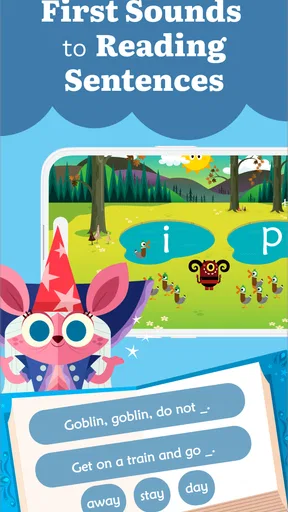
Our Review of Teach Your Monster to Read
 Analysis by Appyee
My first impression of Teach Your Monster to Read is that it treats early reading as something a child can explore, rather than a lesson they have to sit through. Its colorful world and monster-making premise give young players a reason to enter the game, while the reading activities provide a clear purpose for what they do there. I like that balance: the theme gets a child curious, but the learning remains central.
That makes it a particularly natural fit for a short, shared routine at home. A parent can sit nearby while a child plays, listen to the sounds they try, and offer a prompt when a word feels tricky. It can also give a child a more inviting way to practise between reading sessions, though I would treat it as a companion to books and conversation rather than a replacement for them.
Turning Reading into a Game
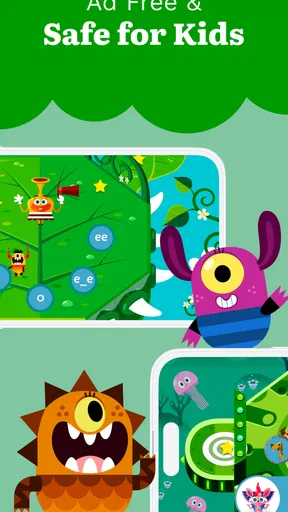
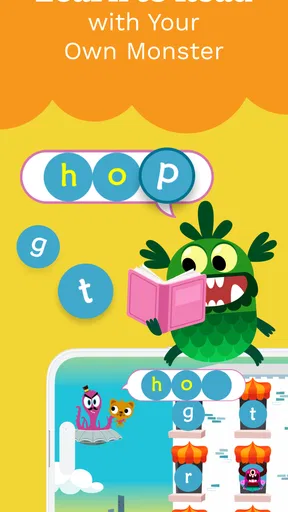
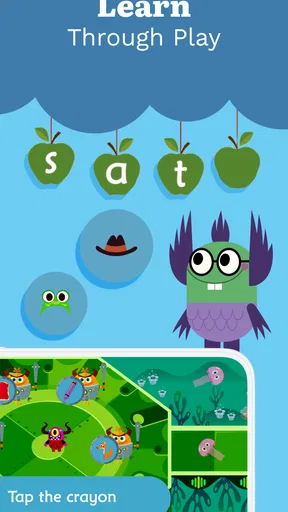
The first thing that struck me about Teach Your Monster to Read is its game-like approach. The app transforms the somewhat daunting task of learning to read into an exciting journey. Kids create their own monster and embark on quests to help it learn to read. The app’s colorful graphics and engaging storyline keep children motivated and eager to play more.
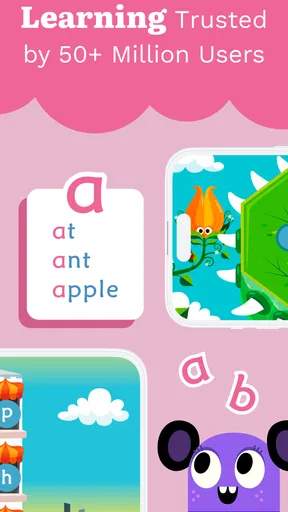
What’s really clever here is how the app seamlessly incorporates phonics and reading skills into the gameplay. Each level introduces new letters and sounds, and before you know it, kids are blending sounds and reading words without even realizing they're learning. It’s like sneaking veggies into a kid's favorite dish!
A playful world with a learning purpose
The setting gives practice a simple emotional frame: a child is helping a character move forward, not completing a worksheet. That small change can matter for children who resist formal-looking exercises. The monster also gives them something personal to care about, while the colorful presentation makes the world feel welcoming rather than school-like.
I would still keep an eye on whether the playful framing helps a particular child focus. Some children will be drawn in by the character and story; others may want to tap through quickly to see what happens next. In that case, sitting together and asking the child to say a sound or word aloud can turn the game’s momentum into a useful pause for practice.
Designed by Experts
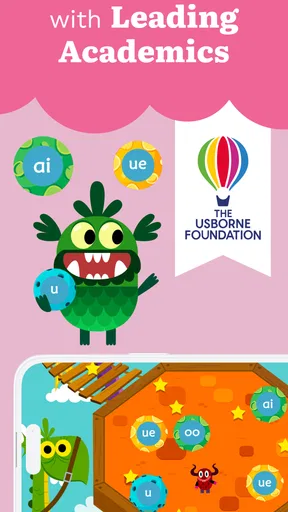
Developed in collaboration with leading academics, the app covers the first two years of learning to read. This makes it a fantastic resource for both teachers and parents. The progression is well-paced, ensuring that kids aren’t overwhelmed. They learn at their own speed, which is perfect for fostering a love for reading.
The app is divided into three games, each tackling different stages of reading. The first game focuses on letters and sounds, the second on blending sounds, and the third on reading sentences. This structured approach makes it easy for kids to build on what they've learned, stepping up to more complex tasks as they grow more confident.
That progression is also useful when deciding how to fit the game into a day. If a child is just beginning to connect letters with sounds, the early activities offer a more sensible place to start than sentence reading. If they already know many letter sounds, the later stages may be more appealing. I’d let the child’s comfort guide the pace instead of treating quick advancement as the goal.
A practical routine is to stop after a manageable stretch and ask the child to read one of the words or sentences again without the game. That brief transfer check helps you see whether they are recognising the material or relying mainly on the excitement of play. It also gives you a natural point to switch to a printed story or a library book, where the same skills appear in a different context.
Sound, rhythm, and the pace of practice
For a phonics game, sound is not just decoration: children need to attend to how letters and spoken sounds connect. I’d make the most of that by keeping the room reasonably quiet and inviting the child to repeat a sound or blend aloud when they have the chance. A little conversation can make a screen session feel more like active reading practice than passive watching.
The game’s staged approach helps avoid throwing every reading task at a beginner at once. Still, children differ in how long they can stay with one activity, and an eager player may keep going after their attention has faded. I’d favour short, calm sessions and finish while the child is still engaged, rather than turning the game into a test or insisting on one more level.
Accessibility and User Experience
Let’s talk about user-friendliness. The app is incredibly intuitive, which is a big win for both parents and kids. There’s no need to spend hours figuring out how to navigate it. Kids can dive right in, and the clear instructions help them understand what they need to do next.
The graphics are vibrant and appealing, keeping kids entertained while they learn. And the best part? There are no ads to distract them, which is a huge relief. The focus remains purely on learning and fun. Plus, it’s available on both Android and iOS, so you can access it on any device.
For a family, ease of starting matters most during the awkward gaps in a day: before dinner, while waiting for a sibling, or when an adult needs a few minutes to prepare something. A child who can follow the instructions with little help is more likely to use that time constructively. I would still set the device up first and make sure the child knows where to begin, especially if they are not yet comfortable navigating apps alone.
Rewards, profiles, and a parent’s role
Who doesn’t love a good reward system? The app incorporates rewards to keep kids motivated. They earn stars and collect prizes as they progress, which encourages them to keep playing. The sense of achievement they feel at each stage is priceless and helps in building their confidence.
The app also allows for multiple profiles, so if you have more than one child, each can have their own monster and follow their individual learning path. This feature is a godsend for families with multiple kids.
Separate profiles are especially helpful when siblings are at different stages: one child can work on letter sounds while another is ready to blend or read sentences, without making their progress feel like a competition. I’d encourage each child to choose and care for their own monster, then praise effort and careful listening rather than comparing how quickly they move through the game.
Rewards can make repetition feel satisfying, but they are not the same thing as evidence that a child has mastered a reading skill. If a child is mainly focused on collecting prizes, I’d gently bring attention back to the sounds and words that unlock progress. That is one reason an adult’s occasional check-in is valuable, even when the child can play independently.
Feedback and Progress Tracking
Parents and teachers will appreciate the feedback system. It offers insights into the child’s progress, highlighting areas where they excel and those that need a bit more attention. This feature ensures you can provide the right support and tailor learning experiences to suit individual needs.
It’s like having a personal tutor who keeps you in the loop about your child’s reading journey. You can celebrate their milestones and step in when they need extra help.
For example, if a child keeps hesitating when joining sounds, I would use that as a cue to slow down and practise blending together away from the screen, rather than simply encouraging more rapid play. If they are comfortable with that task but struggle when sentences appear, reading a short, easy book together can help make the transition less intimidating. The useful role of feedback is not to label a child as behind or ahead; it is to help an adult choose the next supportive step.
Who will get the most from it
This is an educational game for children who are beginning to connect letters, sounds, and words, and for adults looking for a structured way to make that practice less formal. The developer, Teach Your Monster, has built the experience around early reading rather than general entertainment, so it is most useful when a child is ready to practise those building blocks. It is less suitable for a confident reader who wants a broad library of stories or for a child who needs direct, one-to-one teaching tailored to a specific difficulty.
Compared with alphabet videos, the game asks children to take part in the reading tasks instead of only watching and listening. Compared with a paper phonics workbook, it offers a character-led journey and rewards, but it cannot replace an adult noticing confusion and explaining a sound in a different way. I see it as a useful middle ground: more interactive than passive media, less flexible than a parent, teacher, or specialist working directly with a child.
What to consider before installing
The game is rated Everyone, and its average rating is 4.0 from around four thousand ratings, with over one million installs. It costs $8.99, so I would think about whether a child is at the early-reading stage and likely to return to it before buying. For families who want an ad-free, game-based phonics activity, paying upfront may feel reasonable; for someone only seeking a free reading aid or a collection of books, it may not be the right purchase.
It was released on June 21, 2016, and version 5.4 requires iOS 9 or later. I’d check that an older device meets that requirement before planning to use it. The game is available on Android and iOS, but the price and device compatibility are worth considering alongside the child’s learning needs, not just the appeal of the monster and its rewards.
One realistic way to use it is after school, when a child has energy for a brief activity but little appetite for another formal lesson. Let them play a short stretch, ask them to explain one sound or word they encountered, then end with a page from a real book. If that routine becomes a struggle, or if the child consistently needs an adult to explain each step, I would pause the game and ask their teacher what kind of practice best supports them.
A considered recommendation
In conclusion, Teach Your Monster to Read is more than just an app; it’s a delightful educational experience. It combines fun with learning in a way that keeps kids engaged and eager to learn more. If you’re looking for a tool that makes reading a joyous adventure, this app is definitely worth checking out. You can download it from the App Store or Google Play and watch your child’s reading skills soar!
My recommendation is positive, with one important condition: use it as one part of a child’s reading life, not as a substitute for shared books, conversation, or help from a teacher when a skill is proving difficult. Its strongest appeal is the way it gives early phonics a playful context; its main trade-off is that a game’s rewards and pacing cannot respond to every child as thoughtfully as an adult can. If the child enjoys the monster world and is ready for the material, I can see it becoming a welcome part of a family’s reading routine.
Verdict
Strengths of Teach Your Monster to Read
- Engaging graphics for children.
- User-friendly interface for kids.
- Progress tracking for parents.
- No in-app purchases or ads.
- Supports multiple child profiles.
Limitations of Teach Your Monster to Read
- Limited language options available.
- Requires internet for initial setup.
- Some activities may repeat often.
- No advanced reading levels.
- Lacks voice customization options.
Other Releases by Teach Your Monster
View All
Math: Teach Monster Numbers
Educational4.5
Similar Picks in This Category
View All
Little Panda Policeman
BabyBus4.0

Monster Trucks Game for Kids 2
Raz Games4.1

Little Panda's Chinese Recipes
BabyBus4.4

Little Panda's Restaurant
BabyBus4.4

Little Panda's Ice Cream Games
BabyBus4.3

Baby Panda Care
BabyBus3.8
Frequently Asked Questions
What age group is Teach Your Monster to Read suitable for?
Teach Your Monster to Read is designed for children aged 3 to 6 years old. It provides a fun and interactive way to help early learners grasp foundational reading skills. The app is suitable for preschoolers, kindergarteners, and any child beginning their reading journey.
Is an internet connection required to use Teach Your Monster to Read?
No, an internet connection is not required to use the app after it has been downloaded and installed. This allows children to play and learn anywhere, whether at home or on the go, without needing access to Wi-Fi or mobile data.
Are there any in-app purchases or advertisements in Teach Your Monster to Read?
Teach Your Monster to Read does not contain any in-app purchases or advertisements. Once you purchase the app, you gain access to all its features, providing a distraction-free learning environment for your child. This makes it a parent-friendly choice.
How does Teach Your Monster to Read align with educational standards?
Teach Your Monster to Read aligns with various educational standards, including those in the UK and the US, focusing on phonics and reading comprehension. It complements school curricula by reinforcing what children are learning in the classroom, making it a useful educational tool.
Can multiple children use Teach Your Monster to Read on the same device?
Yes, Teach Your Monster to Read allows for multiple profiles on a single device. This means several children can use the app, each with their own progress saved separately. This feature is ideal for families with more than one child or for classroom settings.
Play our best games!


